01 · Capture
Observe real GA4 requests
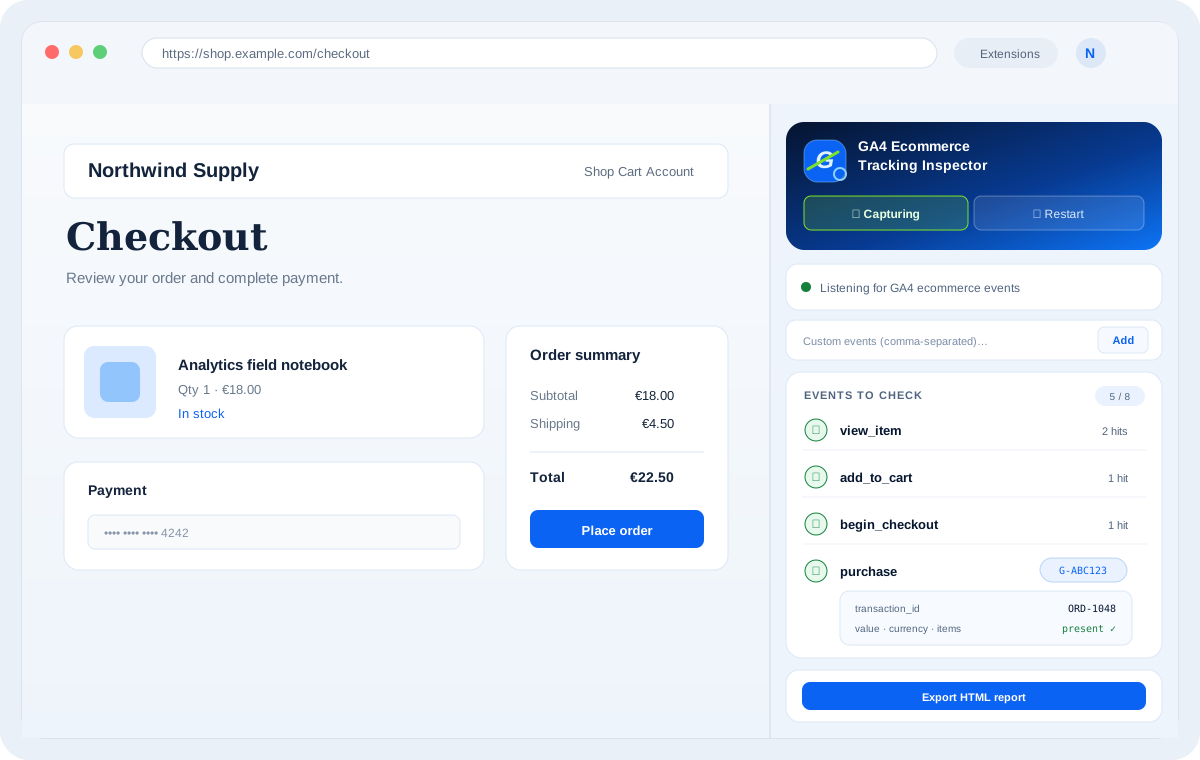
Start an audit and navigate through the ecommerce journey. The inspector listens for GA4 collection requests and organises the detected events as you go.
Chrome extension · GA4 ecommerce QA
GA4 Ecommerce Tracking Inspector captures Google Analytics 4 requests while you test a website, so you can inspect ecommerce events, parameters and item data without digging through the Network panel hit by hit.
Runs in Chrome's side panel. Captured audit data is processed and stored locally in the browser and is not sent to Nuno Barreto or an external analytics service.
What it does
01 · Capture
Start an audit and navigate through the ecommerce journey. The inspector listens for GA4 collection requests and organises the detected events as you go.
02 · Inspect
Expand detected events to review page URLs, GA4 property IDs, repeated hits, event parameters and nested ecommerce item data in one place.
03 · Validate
Follow the standard ecommerce event checklist, see which events fired or are still missing, and add project-specific custom events when the implementation needs them.
04 · Report
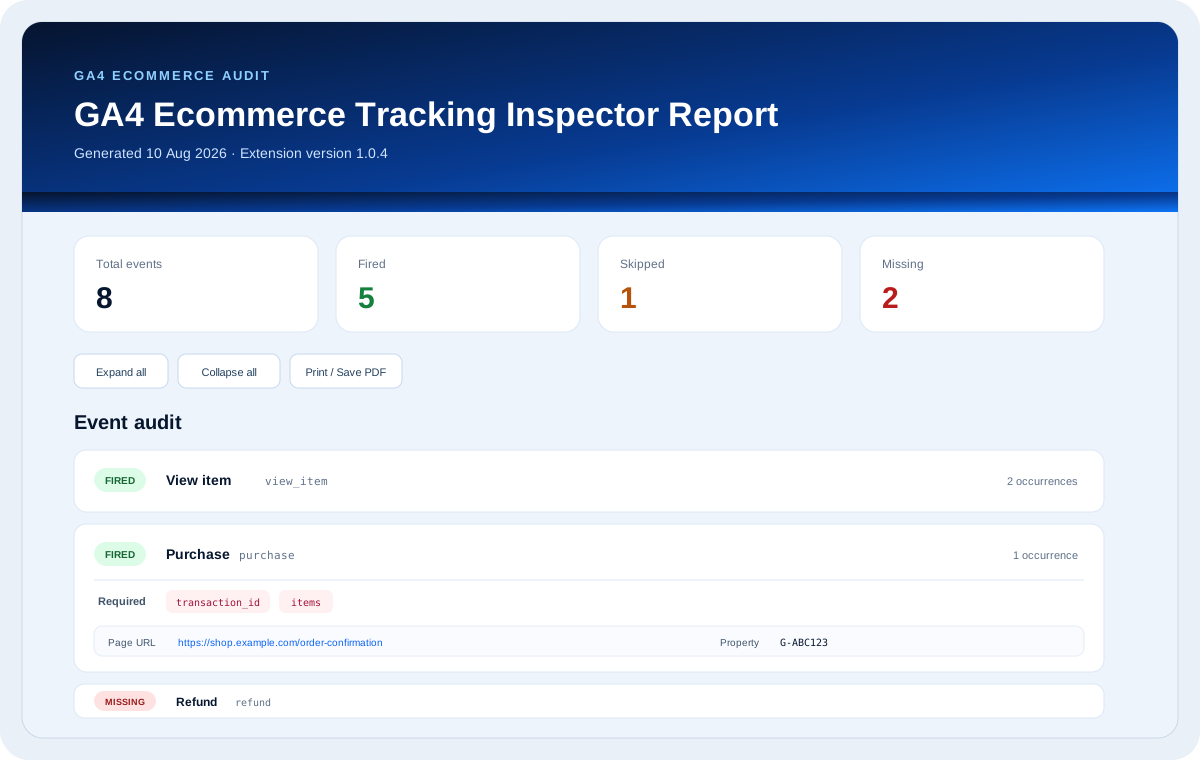
Generate an HTML audit report with event status, occurrences, parameters and structured report data — useful for QA tickets, implementation reviews and handover.
Share the result
Export a self-contained HTML report with a summary of fired, skipped and missing events, plus the captured occurrences and parameters. It is designed to move cleanly into QA tickets, implementation reviews and handover documentation.
Built for implementation QA
The inspector is designed around GA4 ecommerce workflows, including product views, cart interactions, checkout steps, purchases, refunds and promotions. It can also keep separate GA4 property IDs visible when a page sends data to more than one property.
Examples of events you can audit
view_item add_to_cart view_cart begin_checkout add_shipping_info add_payment_info purchase refund Typical workflow
01
Open the side panel
Open the website you want to test, launch the extension and start capturing.
02
Perform the journey
Browse products, add to cart, enter checkout and complete the scenarios you need to validate.
03
Inspect what fired
Review each event, its occurrences and the parameters that were actually sent to GA4.
04
Export the result
Save an HTML report to document findings or attach the audit to your QA workflow.
Local by design
Captured website analytics data is processed locally and stored using Chrome extension storage. It is used only to provide the inspection and reporting functionality.
Try it in Chrome
Install the extension from the Chrome Web Store. If you find an edge case or need help with an audit, use the dedicated support form.