01 · Overview
A focused performance summary
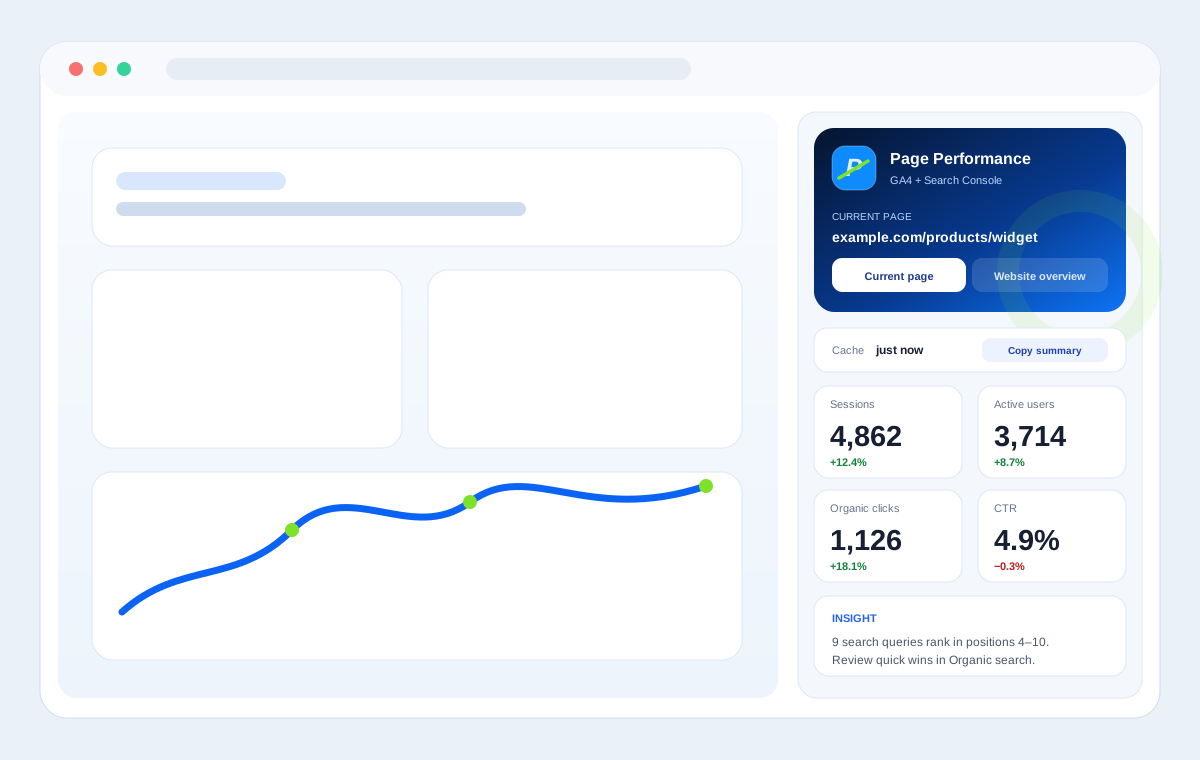
Review sessions, active users, conversions, conversion rate, organic clicks, impressions, CTR and average search position for the selected scope.
Chrome extension · GA4 + Search Console
See how the page you are viewing performs in Google Analytics 4 and Google Search Console without leaving Chrome. Page Performance keeps GA4 and Search Console data in context, next to the page you are analysing.
Page Performance requests read-only access to Google Analytics and Google Search Console. Report data, configuration and authentication information are stored locally in the Chrome extension profile; Analytics and Search Console data is not sent to a developer-operated reporting server.
Analytics in context
Page Performance is built for analysts, marketers, SEO specialists and website owners who want performance data in the context of the page they are reviewing. Connect your Google account, open a website you manage and the extension looks for the Google Analytics and Search Console properties available to you that match that site.
Use Current page when you want to understand one URL, or switch to Website overview for a broader hostname-level view.
What you can analyse
01 · Overview
Review sessions, active users, conversions, conversion rate, organic clicks, impressions, CTR and average search position for the selected scope.
02 · Acquisition
Break down acquisition by channels, campaigns, countries, devices and, in Website overview, landing pages. Relevant conversion and revenue metrics are added when the data is available.
03 · Organic search
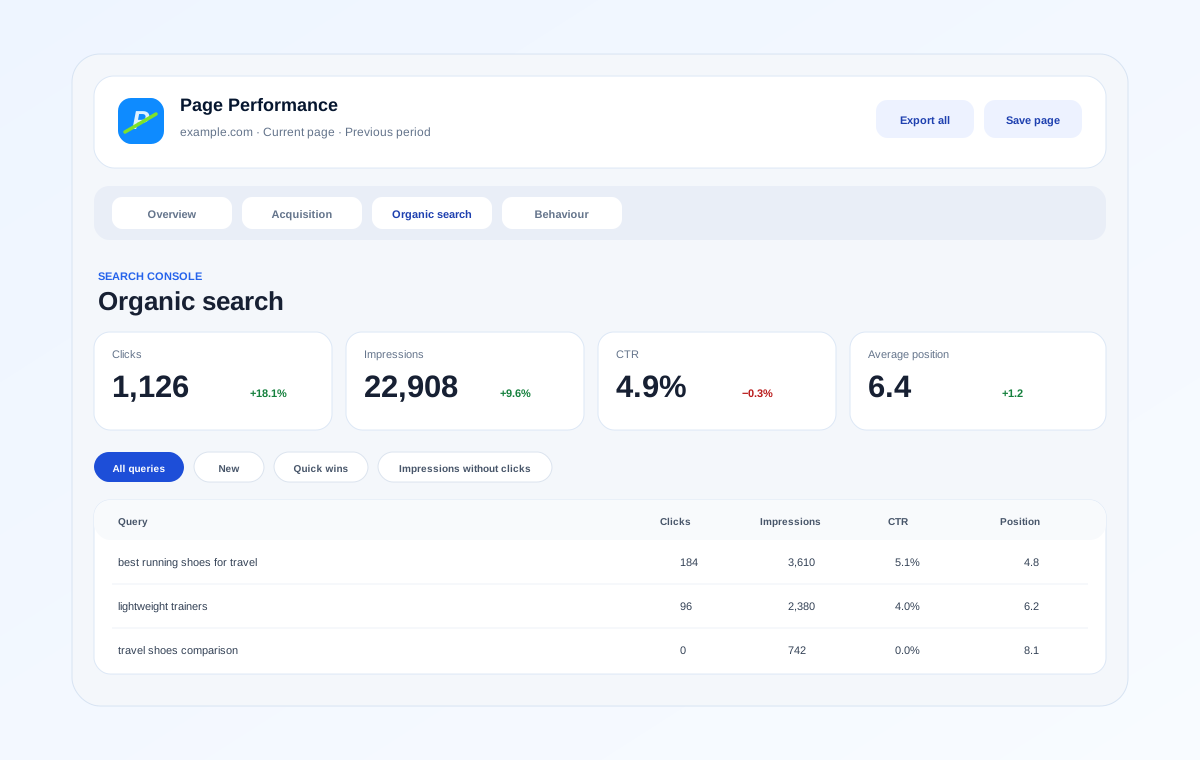
Explore Search Console queries, clicks, impressions, CTR and position. Filter for new queries, positions 4–10, impressions without clicks and lost keywords.
04 · Behaviour
Review page views, engagement, bounce rate, average session duration, views per session and the events recorded for the selected page or website.
05 · E-commerce
When the selected Analytics data includes e-commerce activity, Page Performance makes the relevant commerce metrics available instead of showing an empty e-commerce area on sites where they do not apply.
Organic search
Search Console data is presented around the selected page or site, with practical filters for quick wins, newly appearing queries and impressions that are not yet generating clicks. Website overview can also surface top search pages.
Compare and export
Compare the selected period with the previous period or the previous year, with changes calculated consistently across the report.
Temporarily save page results in the current browser session so you can compare pages while you work through a site.
Copy a concise performance summary or export report tables to CSV when you need the figures in a spreadsheet, ticket or wider analysis.
Read-only Google access
Page Performance requests read-only Google Analytics and Search Console scopes. It is not designed to edit Analytics properties, Search Console properties or the website you are viewing.
Google API data is used to provide the reports and configuration features you request. Access tokens, site configuration, source metadata and short-lived report caches are stored in Chrome extension storage. You can disconnect the Google account at any time; signing out attempts to revoke the active token and clears the extension's locally stored authentication, site configuration and report caches.
Use it in Chrome
Install Page Performance – GA4 & Search Console in Context from the Chrome Web Store, connect an account with access to the properties you manage and start with the page already open in your browser.
Open Chrome Web StoreProduct information
Page Performance – GA4 & Search Console in Context is developed by Nuno Barreto. It is an independent product and is not affiliated with or endorsed by Google. Google Analytics, Google Search Console and Chrome are trademarks of Google LLC.